PocketCHIP
Overview
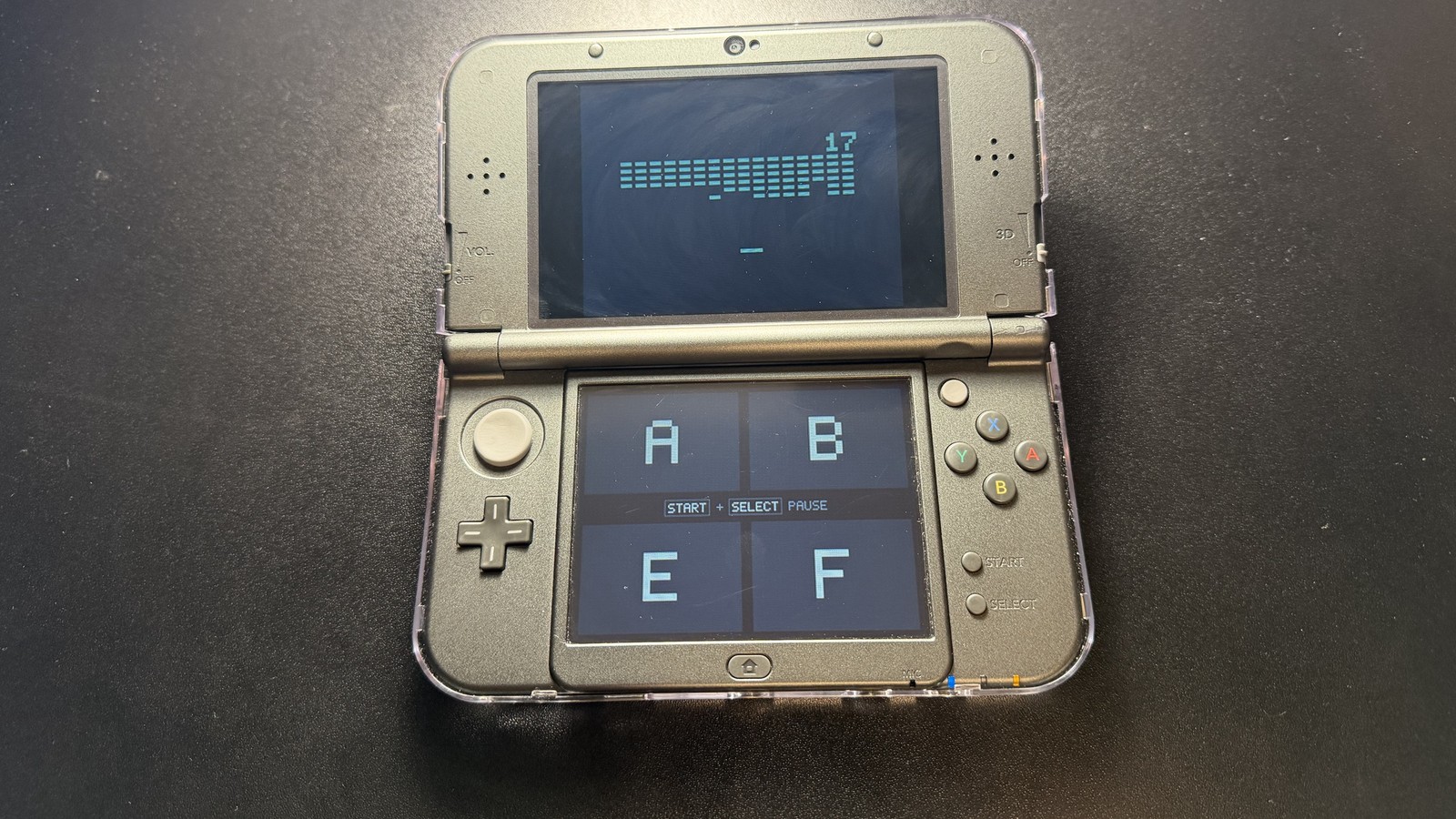
I built a CHIP-8 emulator from scratch for the Nintendo DS and turned it into a complete handheld game library with its own interface, 23 built-in games, and various basic emulator features.
Outcome: PocketCHIP runs 1970s CHIP-8 games on real DS hardware.
- Year
- 2026
- Tools
- C, libnds, devkitARM, melonDS, Python, Claude
An emulator is a program that pretends to be a different computer, so that computer's software can run somewhere new. CHIP-8 is a tiny programming language created in 1977 by Joseph Weisbecker. It runs on a simple computer with 4 KB of memory, 16 registers, a 64×32 black-and-white screen and a 16-key keypad. PocketCHIP recreates that computer on the DS.
PocketCHIP has everything a player would need: a game browser with live previews, save states, rewind, fast-forward, remappable controls, color themes, sound, and per-game settings. Every game in the built-in library has its compatibility settings worked out from its original code, and each has its own unique set of controls specifically designed around the game's inputs and the layout of the Nintendo DS buttons.
Skills
- Computer architecture
- Emulation and reverse engineering
- Writing and debugging C code
- Nintendo DS homebrew (libnds, devkitARM)
- UI and pixel-art design
- Performance testing
- Hardware testing
- Software testing and verification
- AI-assisted development
01 · Building the CPU
Every computer repeats the same three steps: grab the next instruction, figure out what it means, and do it. PocketCHIP does exactly that, hundreds of times a second.
PocketCHIP was built in steps. The first version only fetched and printed instructions, to prove the loop and the build tools worked. Only then was the full instruction set added, and it was checked with hand-written test programs before any real game ran.
Timing and the 60 Hz clock
Games need to run at the speed they were designed for, or they're unplayable. The original hardware ran roughly 500 to 700 instructions per second, so PocketCHIP runs 12 instructions per DS frame, which works out to 720 per second.
A Non-universal Standard
CHIP-8 developers didn't always agree on how a few instructions should behave. For example, one instruction that moves a number's bits left or right worked slightly differently depending on which version of CHIP-8 you had. Games were written for whichever version their author owned, so no single set of rules can run them all. For this reason, PocketCHIP was built with presets for each version of CHIP-8, so each game can work correctly (i.e.: presets for the original 1977 COSMAC VIP, the 1990s SUPER-CHIP, etc.).
Testing the Presets
I tested PocketCHIP with the Timendus CHIP-8 test suite, a free set of test programs that the community uses to check whether an emulator behaves correctly. It passed every instruction check (does each of the 35 instructions do the right thing?). With different presets selected, it passed checks which test the version differences described above.
02 · Getting Pixels on Two Screens
The DS has two screens (you've probably figured that out through this website alone). Since CHIP-8 games are designed for single screens, PocketCHIP plays the game on the top screen and uses the bottom touchscreen for controls and menus.
Scaling the display
The CHIP-8 screen is only 64×32 pixels, so each game pixel is drawn as a 3×3 block. That makes a 192×96 image, centered on the top screen with a black border around it (the DS screens are 256×192). I went with an integer scale to keep the game pixels looking perfectly square and sharp.
The screen tearing bug
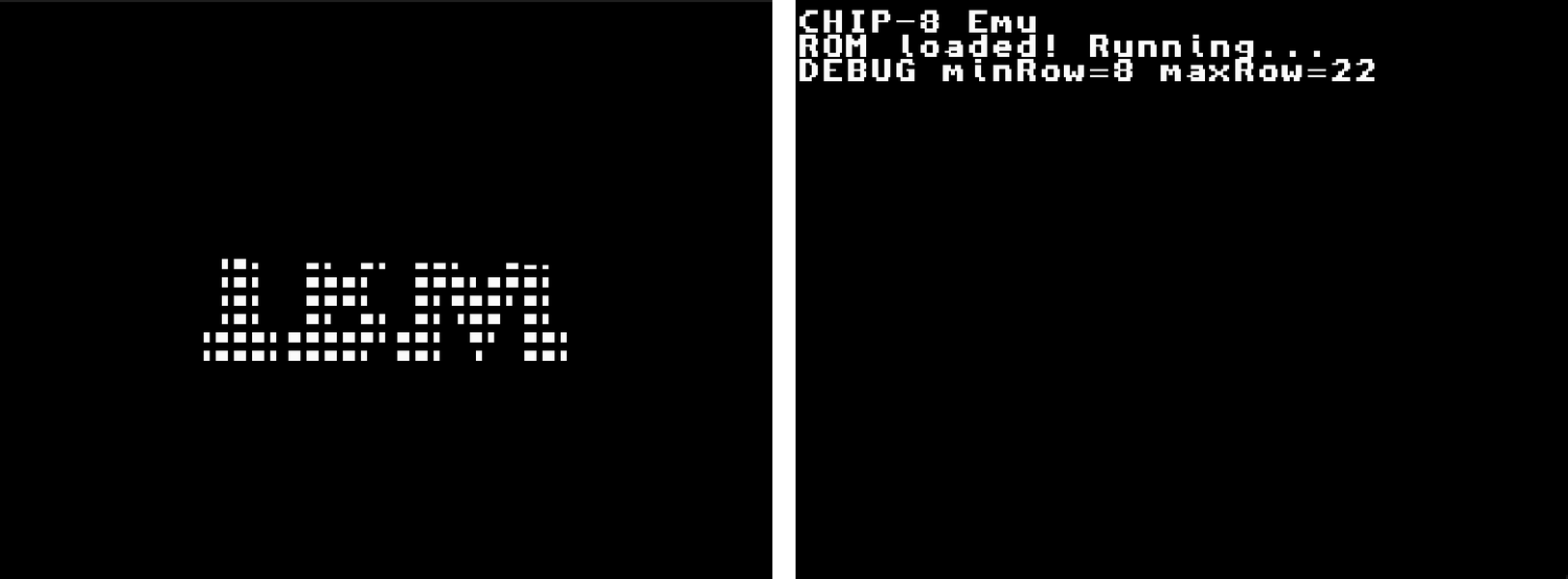
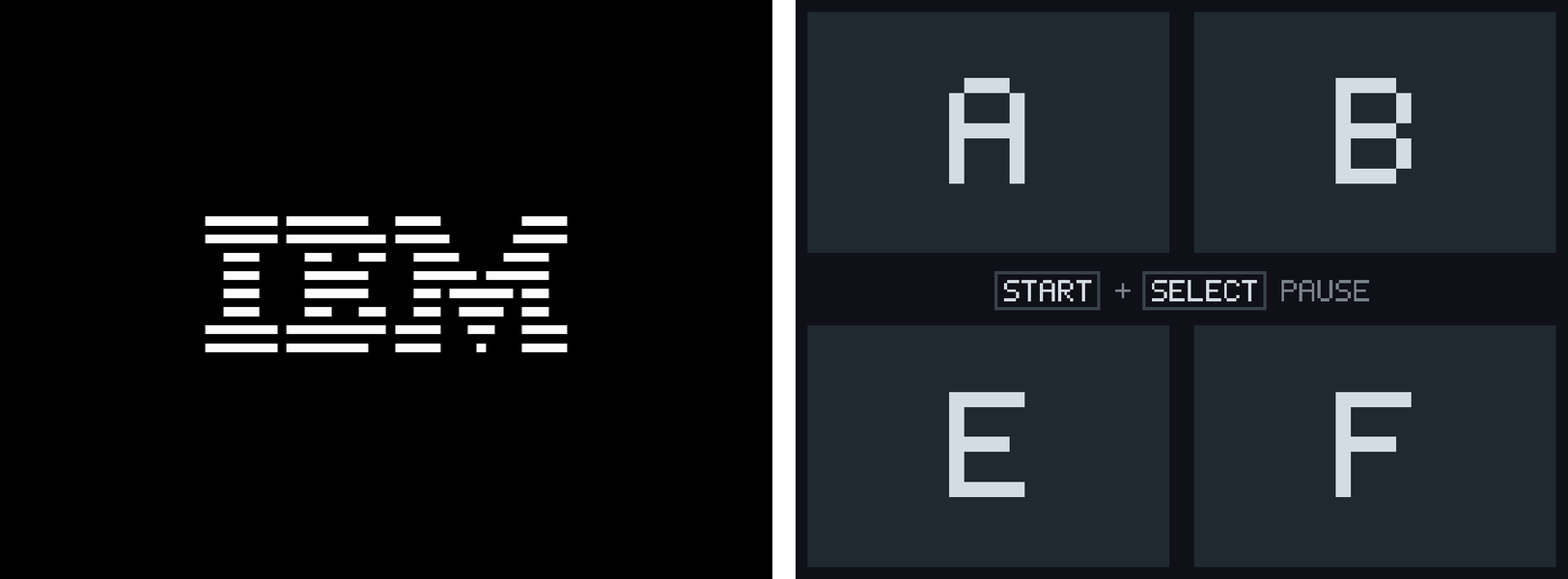
My first real test was the IBM logo program (seen in the screenshot above), and it displayed with its top rows missing and a broken, dotted look. The game itself was working fine, so the problem was in how PocketCHIP put its picture on the screen.
The cause of this was something called screen tearing: PocketCHIP was drawing each new picture while the DS was still in the middle of showing the last one, so the screen caught pictures half-finished. The fix was to draw each new picture out of sight first, then swap it onto the screen all at once, right as the DS finishes showing the previous one (double buffering).
03 · Designing the Interface
The first working version used the DS's built-in text, which was one plain font and plain white text. It worked, but it looked very ugly and hard to navigate. I wanted to make a UI which would be both minimal and modern, closer to the clean menus of actual DS homebrew.
Drawing every pixel
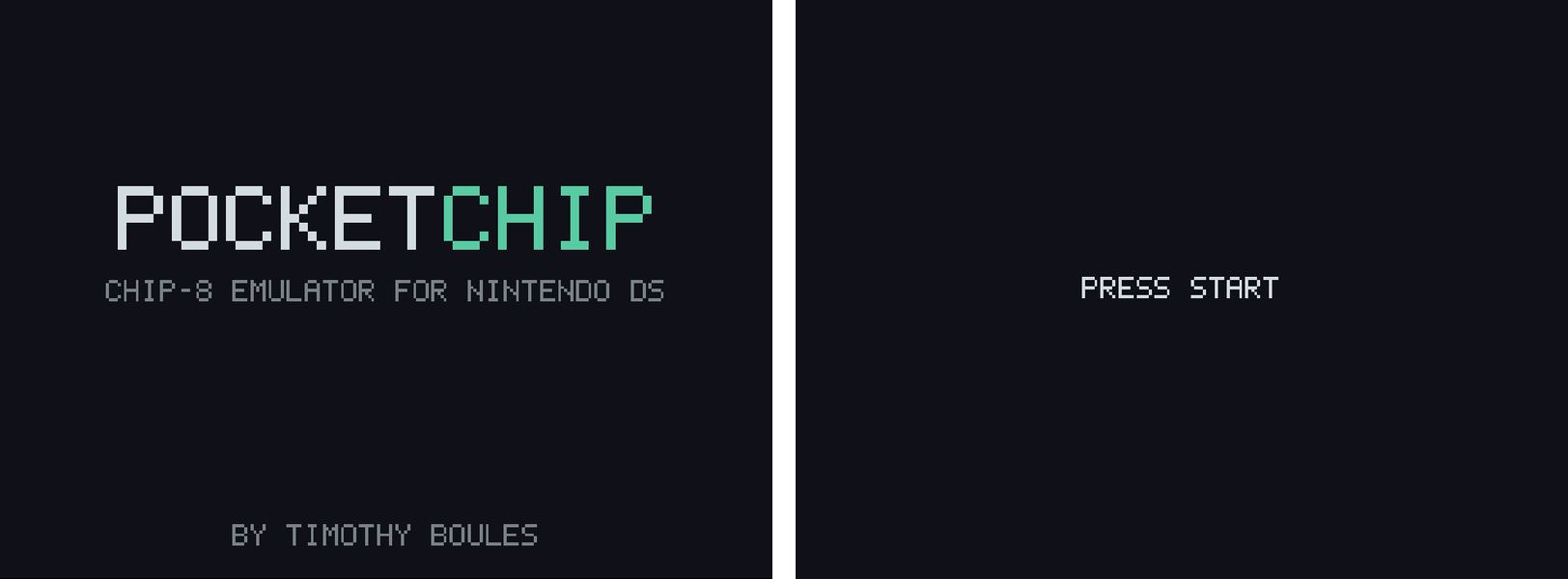
Instead of using the DS's built-in text, PocketCHIP now draws everything itself, including all the UI elements and the text, which now uses a small pixel font made just for it. I kept the look to a near-black clean background, light gray text, and some touches of teal.
The game browser
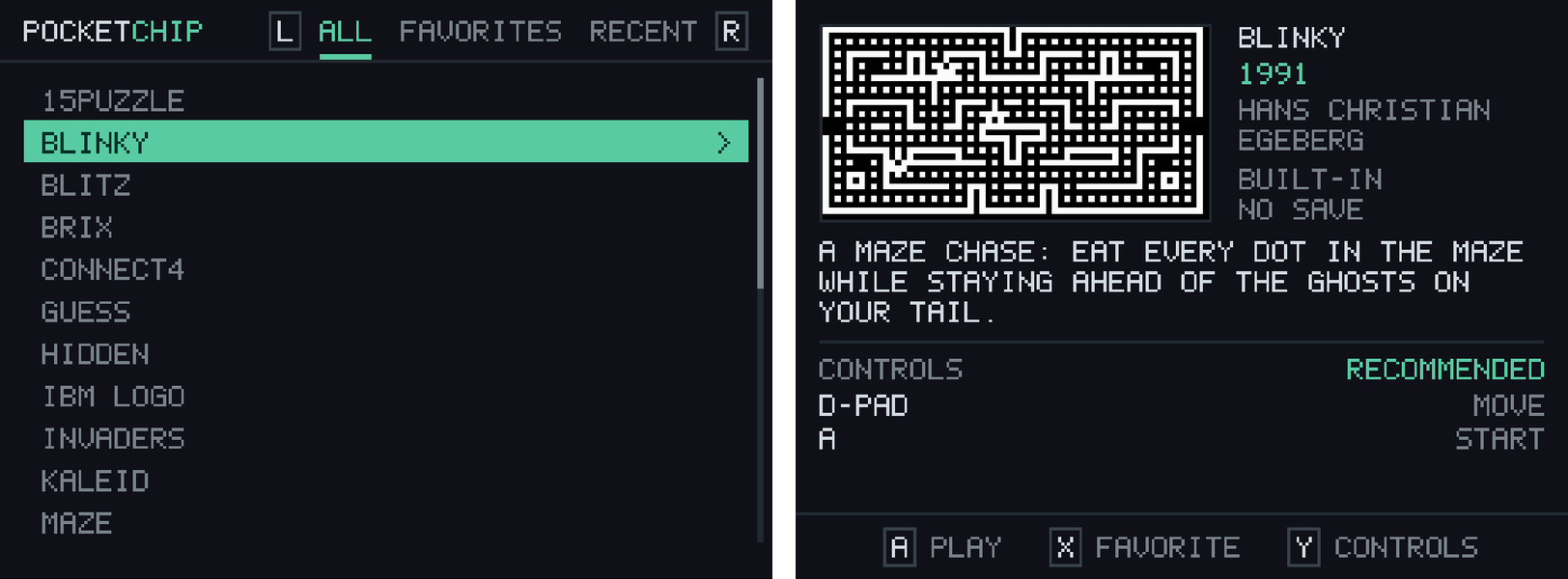
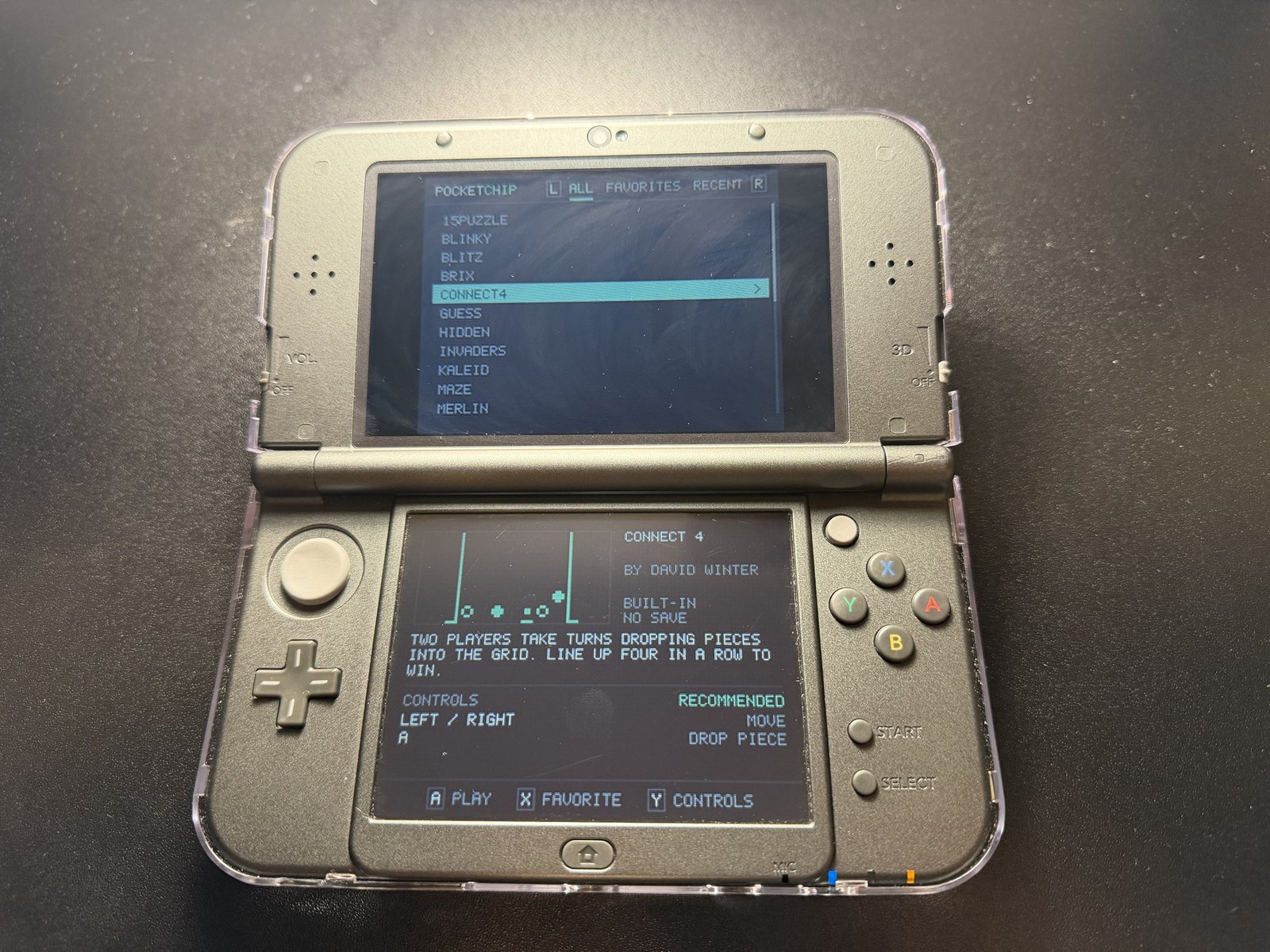
The top screen lists games, with tabs for All Games, Favorites, and Recent. The bottom screen shows a live preview of the highlighted game running (and it's not a video!), next to its title, year, author, a short description, and its controls.
I noticed that some games take a long time to draw their first screen in the preview, so the preview fast-forwards each game until its screen settles and preview gameplay is running.
Themes
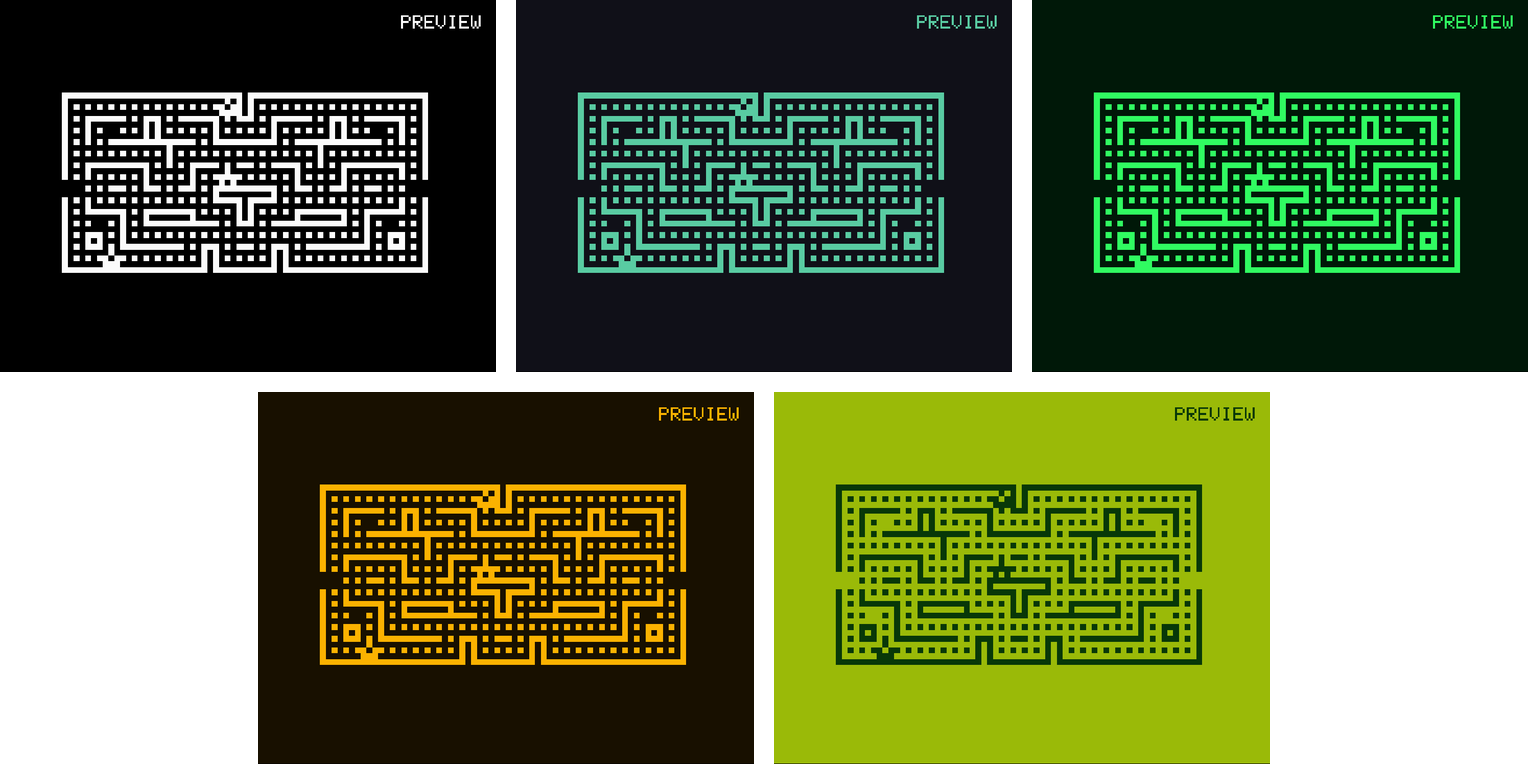
The game screen has five color themes: Classic, Pocket (matching the interface), Phosphor green, Amber, and Handheld (resembling the colors of an original Game Boy). The pause menu previews each theme on the frozen game as you scroll through them.
04 · Reading 1970s Code
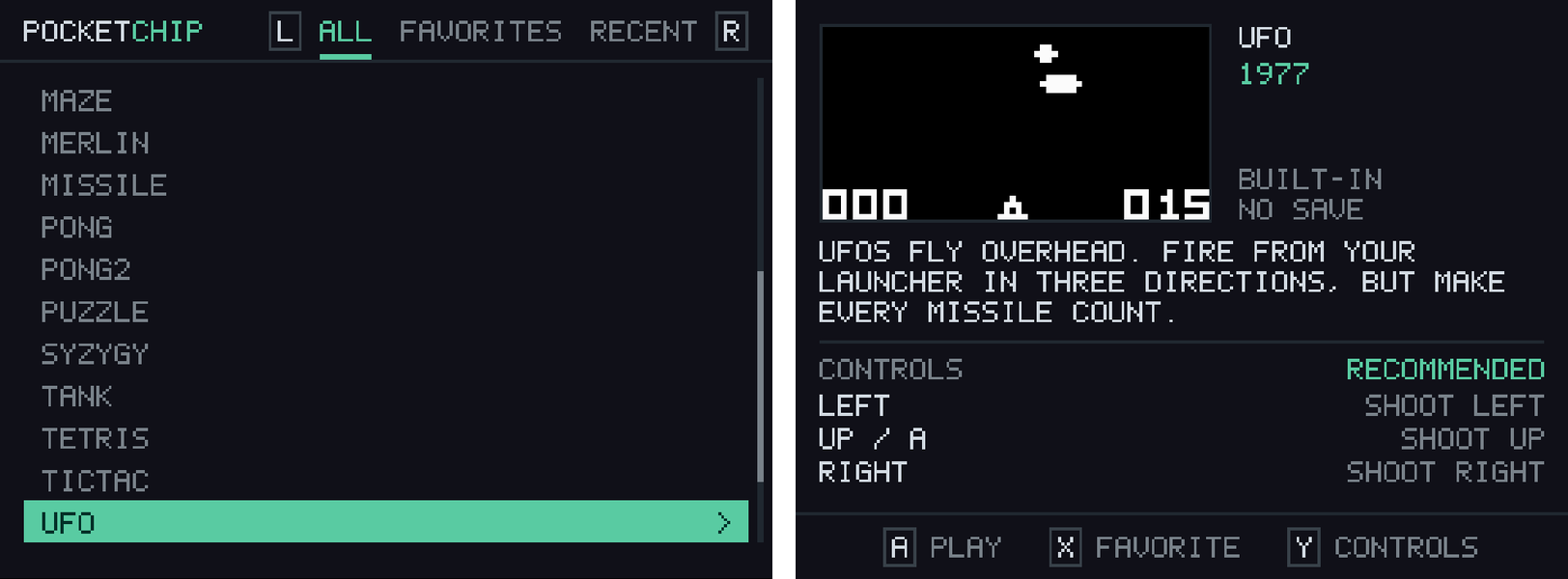
Every one of the 23 built-in games has a profile, with recommended DS controls (including the action each button does) and the right compatibility settings. Each game's code was traced to find which keys it reads and what each one does.
Finding each game's controls
A small Python tool reads through each game's code and shows which button each game is looking for. This helped for various games, like in Tank and Puzzle, the button at the top of the CHIP-8 keypad actually moves you down. The initial profiles I had made had those controls backwards, until reading the code showed the real controls and allowed me to fix up each game specifically.
The Tetris "bug" that wasn't mine
There was bug throughout the whole journey, and it was that Tetris never ended. Pieces kept stacking at the top forever. I suspected the compatibility settings, but running the game under any preset gave identical results. Reading its code showed why. When a piece lands, the game locks it and spawns the next one, and there is no game-over check anywhere in the program. The 1991 game simply never had one, so the game was just hard-coded to run forever (and all my checking was for nothing).
05 · Basic Emulator Features
Once games ran correctly, the next step was the features that make an emulator pleasant to use.
Fixing the flicker
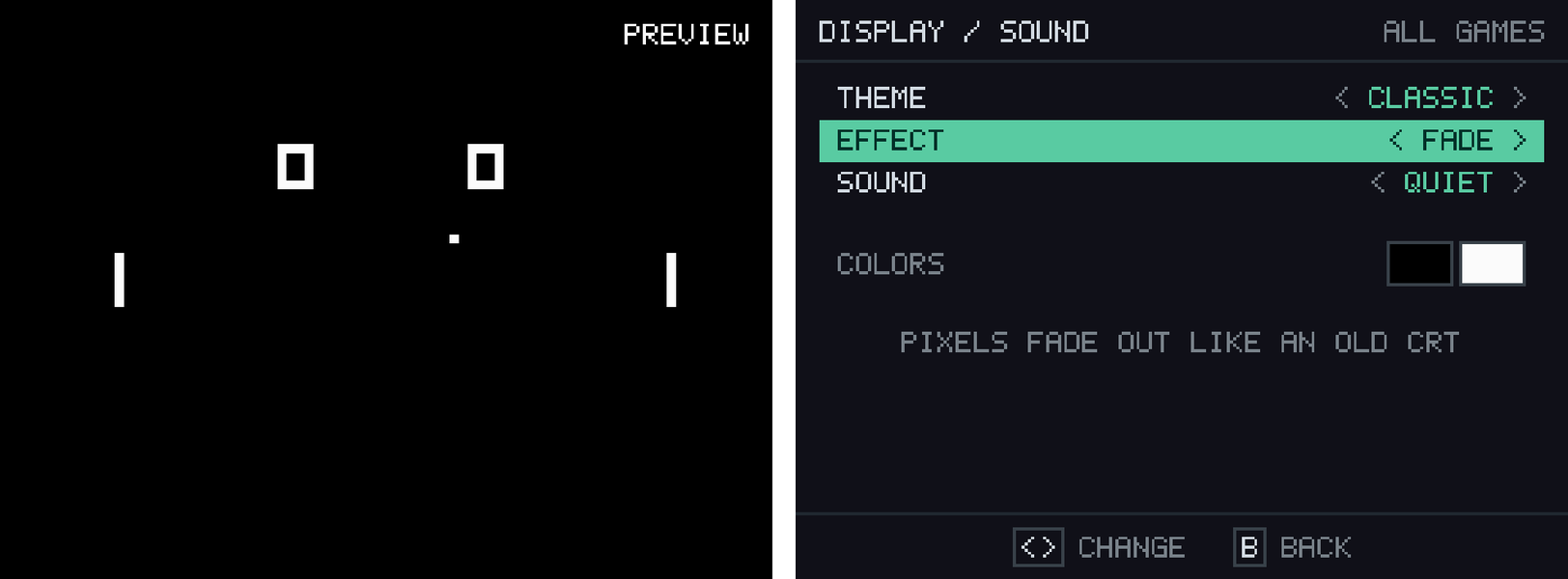
CHIP-8 games move things by erasing them and drawing them again, so moving objects flicker. In Pong, the left paddle was completely invisible in 29% of frames. PocketCHIP counters this by adding two display effects. Fade, which lets pixels dim slowly like an old TV, and Blend, which keeps them lit a little longer. With either one on, the paddle never disappears, and gameplay for most games looks smoother, cleaner, and more modern.
Save states, rewind, and fast-forward
You can save the game at any state and at any moment and pick up exactly where you left off. Holding L rewinds the last 10 seconds of play, and holding R speeds the game up to 4×.
Controls that fit every game
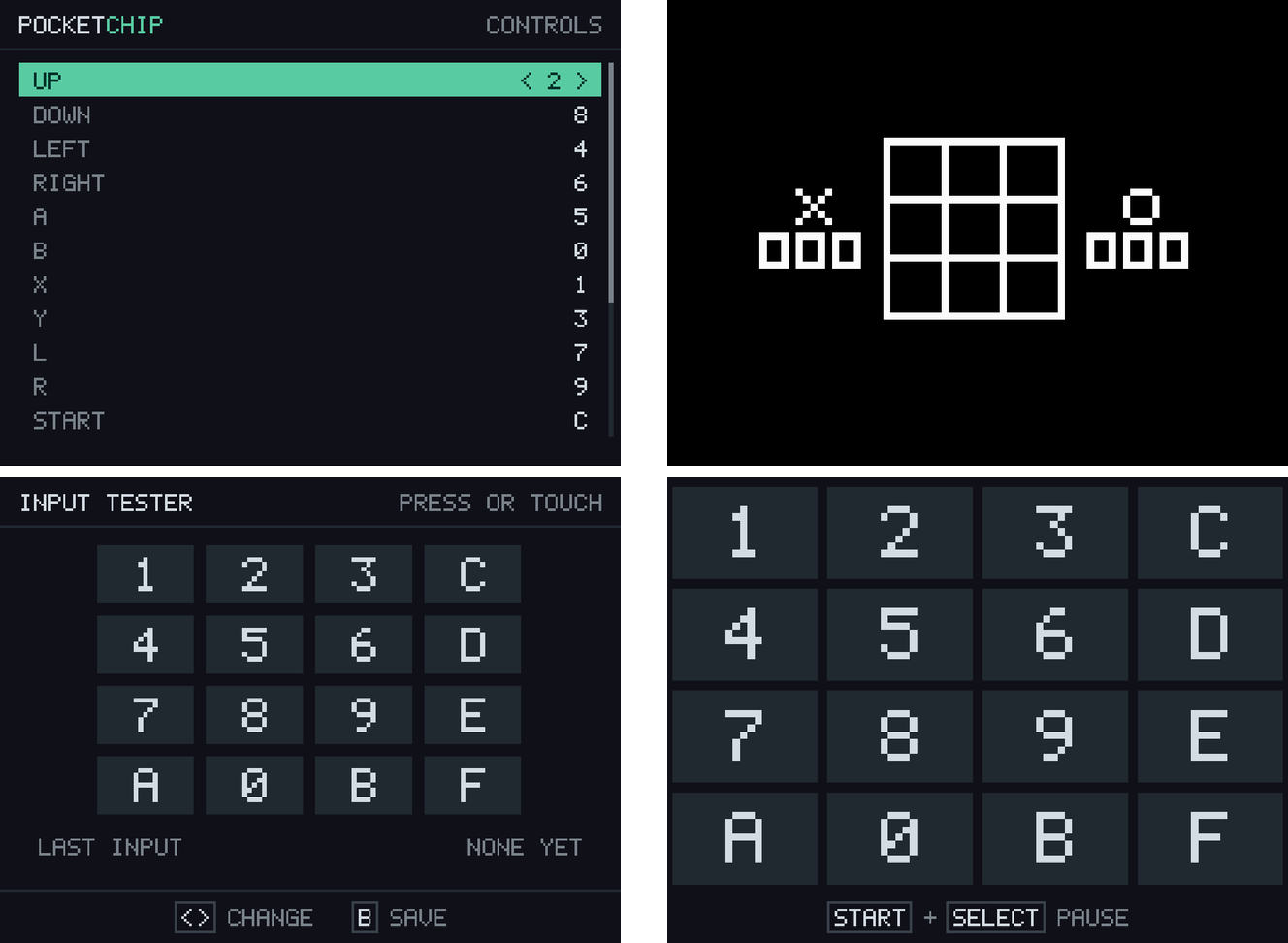
All 16 inputs (12 buttons plus 4 touch zones) can be remapped, with a live tester that lights up as you press on the bottom screen. Games that need lots of buttons, like 15 Puzzle and Tic-Tac-Toe, switch the touchscreen to a full on-screen keypad automatically, with all 16 inputs at the bottom.
Sound and the debugger
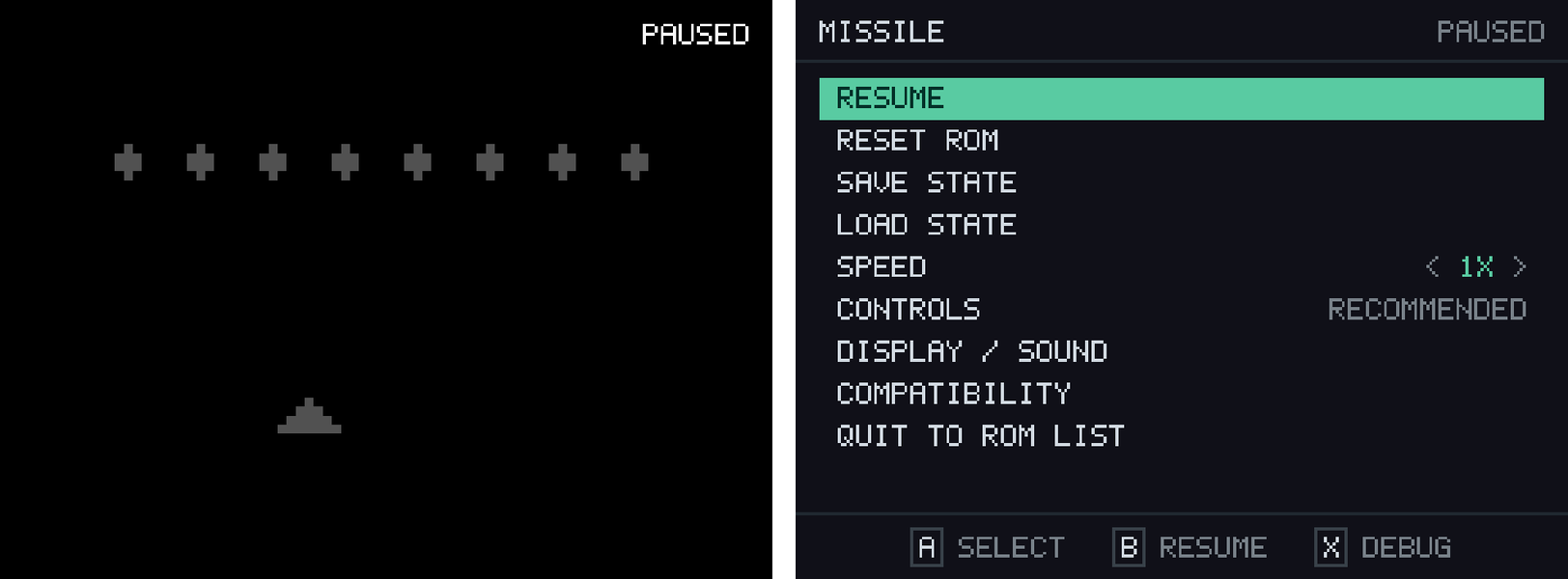
CHIP-8 games only have a single beep for sound effect, which PocketCHIP plays through the DS speaker. The pause menu also has a debugger that freezes a game and steps through it one instruction at a time, so you can see exactly what it's doing.
06 · Running on Real Hardware
I mostly developed PocketCHIP in the melonDS emulator, with testing on a Nintendo 3DS, where it runs smoothly.
Hardware vs Emulation Bugs
Testing on the 3DS exposed a problem that I missed, because it wasn't happening on melonDS. On a few games, the live preview in the menu froze for almost a second. The DS turned out to be slower at running CHIP-8 games than the emulator, so I had the preview run in small chunks instead. Now the freeze is gone, and you see a quick time-lapse of the game drawing itself in the preview before it starts (with minimal delay).
No SD card required
All 23 games are built directly into the program file, using a Python script that converts game files into C source code, so PocketCHIP plays them with no SD card at all. If an SD card is present, its games are automatically added to the list (saving, however, requires an SD card, which if you're even running this app at all, you probably already have one!).
07 · Keeping It Maintainable
As features piled up, the main file grew to 2,541 lines, which made it hard to change things and debug. So it was split into 14 smaller files, each in charge of one job, like the controls, the game list, the sound, or a single menu. This cleaned up the main file and the whole project overall.
08 · How I Built It
I built PocketCHIP with Claude, an AI agent designed by Anthropic. I decided what PocketCHIP should do, what to build first, and how it should look and feel. Claude helped turn those plans into code. I read through each piece as it came together, and debugged errors that Claude made.
What I learned
Testing beats guessing, every time. Every wrong assumption I made in this project was only caught through real testing. Building in small, tested steps is what made a project this big manageable.
What comes next, and why hasn't PocketCHIP been released?
I do have plans to release PocketCHIP in the future, but I also don't feel it is truly "finished". There are some small quirks and bugs that I still want to work on, like getting button presses to behave as they did on the original hardware (waiting for the key to release first before the input registers), and adding a game-over to Tetris. I also want to add in SUPER-CHIP games, which would feature a larger library of 1990s games, as well as some other games I could port to CHIP-8 to make the emulator truly feel like a complete collection, rather than just the 23 games.